Roban - World Class Scale Helicopters

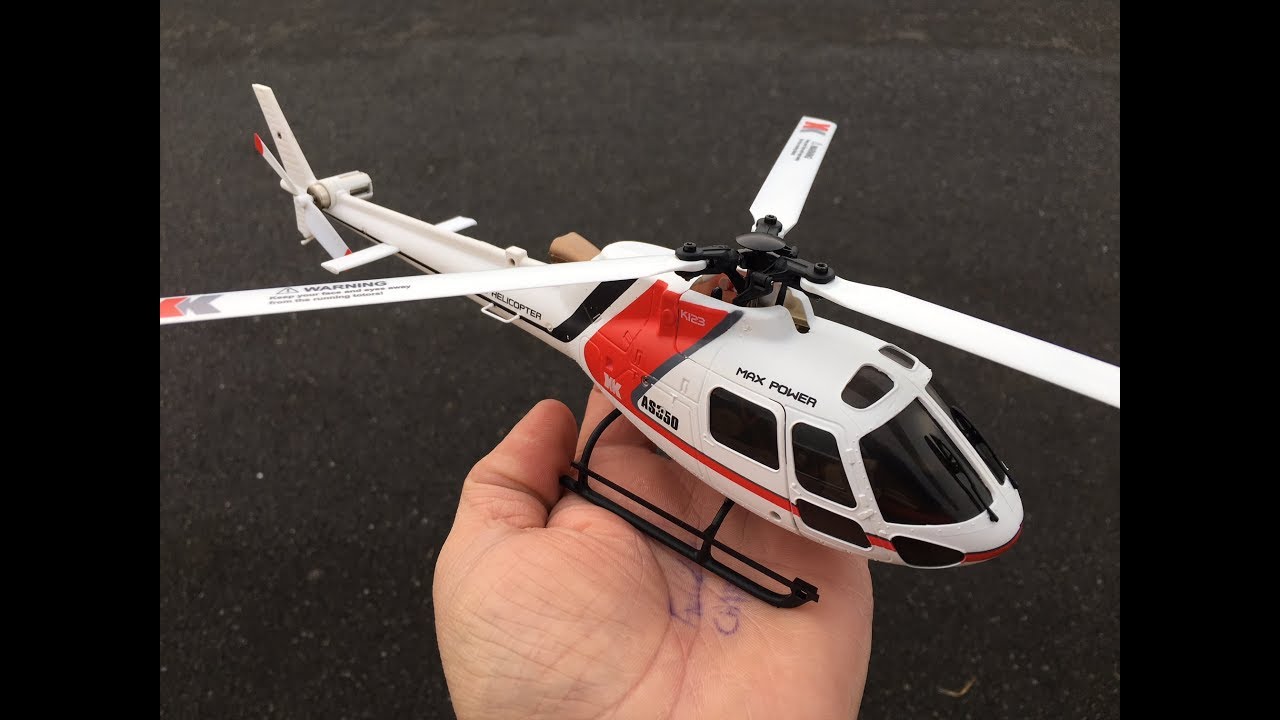
Official XK K123 With Gyro Thread

Collapse
X
Collapse
First Prev Next Last
 
  • Time
  • Show
Clear All
new posts

  • ridgerunner
    replied
    Channel 5 controls the XK gyro mode, which is in one of two states; 3D where you must keep the heli level, and 6G where the heli (is supposed to) self level. If channel 5 is above the mid point (i.e. CH5 > 0) it will be in one mode, and if below the mid point (i.e. CH5 < 0) it will be in the other mode. On mine, I have it set to CH5 = +75 for 3D mode and CH5 = -75 for 6G mode. You have to determine which mode is which by trial and error. The multiprotocol module (used in the Jumper/Radiomaster transmitters) may be programmed differently and may reverse CH5.

    You can determine if it is in 6G mode by doing the following test. Hold the heli in one hand and spin up the rotor to a slow speed. Move the cyclic stick to one side and release the stick so it goes back to center.If the heli is in 6G (self level) mode, the swashplate will move with the stick and return to level when you release it. If the heli is in 3D (NOT-self level) mode, the swashplate will move with the stick but will NOT return to level when you release the stick.

    Note that in both modes, you do NOT directly control the servos or the tail motor - the controller on the heli circuit board controls all three servos and the tail motor - (it is using the information from both the gyro sensors and your stick input to figure out where to move the servos.)

    In my experience, on all the XK micro helis, the 6G mode is difficult to get working reliably and will drift out of calibration even when you do get it working right. But most CP heli pilots fly only in 3D mode (and 6G mode feels weird) so this is not an issue. Try to wean yourself off self level mode ASAP - it only teaches bad habits that need to be broken one you start flying the heli in normal 3D mode.

    There is a very informative thread on RCGroups that covers all-things-XK including how to perform the various calibrations here:

    XK K110 3G/6G Small CP Heli thread - same or better than V977? (Work in Progress)

    The K110/K123/K124 all use the same controller electronics and setup modes.

    Hope this helps!

    Leave a comment:


  • CM_Aero
    replied
    Originally posted by simhopp

    I was able to bind XK K123 with TX16S, it kinda flies around now.
    but I'm not sure how to utilize the full potential of the gyros.
    supposedly there is 3D mode and 6G mode according the their ad for K123 ?
    how do I access those modes? without using their own propriety TX ?
    Hey simhopp, I've been out of town for work and will be for the next week. So I'll look at my settings when I get home. But, you'll need to assign a switch to the channel the gyro is using (which I think is channel 5) to switch back and forth between 3 and 6G.

    Check out this video that briefly discusses setup for channel 5. Skip to 25:34 in the video


    And this video too:


    I hope this helps in the meantime. Cheers

    Leave a comment:


  • simhopp
    replied
    Originally posted by CM_Aero

    I have mine bound to a TX16S.

    Maybe try powering the helicopter first, press the bind button, and then power on the TX.
    I was able to bind XK K123 with TX16S, it kinda flies around now.
    but I'm not sure how to utilize the full potential of the gyros.
    supposedly there is 3D mode and 6G mode according the their ad for K123 ?
    how do I access those modes? without using their own propriety TX ?

    Leave a comment:


  • humboldt
    replied
    Originally posted by Johannex
    Got my K123 with the X6 radio yesterday.
    As I'm new to rc helis I had to spend quite some time searching for information to get a first grip of how rc helis work and how to control them.
    I spent most time on the radio settings (in general and for the XK X6 that came with mine).
    To visualize for better understanding I created an Excel showing:
    * Throttle curve
    * Collective pitch curve
    * Dual Rate and Exponential curves
    Maybe some other newcommer might find it useful?
    If someone more experienced than I find any error in the file I would very much appreciate your input so that I can learn more.
    Holy Shiitake Mushrooms, Thank you for this, this is awesome

    Leave a comment:


  • Johannex
    replied
    If you would like to use your XK X6 as a wireless Bluetooth controller there is a relatively easy and cheap way to do that.
    I followed (almost) these instructions and it really works.

    In order to avoid too much tricky soldering on the X6's main board I soldered Ground to the X6's negative pole on the battery compartment and the signal on the back of the 3,5mm jack. But the 3,3V I soldered at the same location as in the instruction.

    Leave a comment:


  • Johannex
    replied
    Got my K123 with the X6 radio yesterday.
    As I'm new to rc helis I had to spend quite some time searching for information to get a first grip of how rc helis work and how to control them.
    I spent most time on the radio settings (in general and for the XK X6 that came with mine).
    To visualize for better understanding I created an Excel showing:
    * Throttle curve
    * Collective pitch curve
    * Dual Rate and Exponential curves
    Maybe some other newcommer might find it useful?
    If someone more experienced than I find any error in the file I would very much appreciate your input so that I can learn more.
    Attached Files

    Leave a comment:


  • CM_Aero
    replied
    Originally posted by nictun2k
    I have today received my other order for an XK124 helicopter complete with the XK transmitter.
    Having tied the new one, I tried to bond the XK123 ....and it bonds perfectly with the XK Tx.
    Noting no fault with helicopter - just needed the right TX. type.
    Thanks for all the help.
    Glad you got the helicopter flying! Enjoy!

    Leave a comment:


  • nictun2k
    replied
    I have today received my other order for an XK124 helicopter complete with the XK transmitter.
    Having tied the new one, I tried to bond the XK123 ....and it bonds perfectly with the XK Tx.
    Noting no fault with helicopter - just needed the right TX. type.
    Thanks for all the help.

    Leave a comment:


  • nictun2k
    replied
    Program the throttle and pitch curves.. :-) .....I just want to get it bind first but you are absolutely right it is not a computer Tx.
    I have just ordered a Tx from the same manufacturer as the XK123 (as sold with the XK 123 set for more £ and now wish I had done so in the first place ! ).
    So, will have to wait until the Rickshaw arrives from China...should be about 2-3 weeks normally. I will update here when I try the new TX.
    I went to a friends yesterday who has a Futaba F-FHSS FAST programmable TX and the XK123 wouldn't bind with that either.
    Can you tell me, with your XK123, is the 4 rising notes and beep from the Rx normal when on switching it on or is it indicating an error to start with?
    .

    Leave a comment:


  • CM_Aero
    replied
    Originally posted by nictun2k
    Thank you for your swift reply but sadly to no avail....still did not bind.
    The helicopter board makes a 4 notes rising in pitch then a single beep when switched on, presume this is normal?
    Is that a computerized TX? I just googled it and it doesn't look like it. You'll have to be able to program throttle curves and pitch curves on the TX and I'm not sure how to do that on the MC6C tx

    Leave a comment:


  • nictun2k
    replied
    Thank you for your swift reply but sadly to no avail....still did not bind.
    The helicopter board makes a 4 notes rising in pitch then a single beep when switched on, presume this is normal?

    Leave a comment:


  • CM_Aero
    replied
    Originally posted by nictun2k
    I have just bought a XK K123 6CH BNF which specification states uses Futaba S-FHSS.
    At the same time I also bought a Microzone MC6C RC set which states it is compatible with Futaba S-FHSS.
    This works ok with the Rx that came with it.
    Tx on, switch on helicopter power, Red LED flashing, I press the bind button and then the Red LED goes out and unable to bind the helicopter Rx to the Tx.
    Is the board not working or do I need another manufacturer Radio.
    I have mine bound to a TX16S.

    Maybe try powering the helicopter first, press the bind button, and then power on the TX.

    Leave a comment:


  • nictun2k
    replied
    I have just bought a XK K123 6CH BNF which specification states uses Futaba S-FHSS.
    At the same time I also bought a Microzone MC6C RC set which states it is compatible with Futaba S-FHSS.
    This works ok with the Rx that came with it.
    Tx on, switch on helicopter power, Red LED flashing, I press the bind button and then the Red LED goes out and unable to bind the helicopter Rx to the Tx.
    Is the board not working or do I need another manufacturer Radio.

    Leave a comment:


  • WetDog
    replied
    I'm new to CP, I was wondering if there is any way to program the throttle curve to make this little heli descend a little more stable and predictable?

    Leave a comment:


  • Coconut
    replied
    Why are they out of transmitters for this heli?

    Leave a comment:


  • ridgerunner
    replied
    Originally posted by Coconut
    Can I bind this to a Spektrum DX6?
    No. All the XK helis use the Futaba S-FHSS protocol. Specktrum uses the DSM protocol (DSM2/DSMX, 22ms/11ms).

    Leave a comment:


  • Coconut
    replied
    Can I bind this to a Spektrum DX6?

    Leave a comment:


  • JohnVH
    replied
    Fun with mine, and some tricks! Skip to 3min mark, buy it at MotionRC!

    Leave a comment:


  • ridgerunner
    replied
    After six years hovering micros indoors, I recently started going outside and trying my hand at inverted flight. (I moved from the city to rural central Utah last summer so I now have a flying field in my back yard!) My current favorite micro is the XK K123.

    Leave a comment:


  • Captain MoMo
    replied
    Originally posted by ridgerunner

    Yes, the XK X6 transmitter that comes with all the XK RTF helis has 10 memories (and all their helis use Futaba's S-FHSS protocol so they can all be flown using the same Tx).
    Thank you - I don't check this forum much but looks like I will be from now on :)

    Leave a comment:

Working...