-
-
Quick question.
What is MRC's stance/thoughts on guys printing these parts for a fee for others without printers? Not trying to start a flame war, just wondering.Comment
-
Partially 3D printed of my own design. Making a 'J' model Jolly Roger so I need the longer style nozzles.
Comment
-
Pretty neat, and a huge upgrade from stockComment
-
I'm all for it! Especially for the A-4 and A-10 models. BobComment
-
I will definitely be purchasing these when I get my F4. It would be great to also see some of this stuff for my F14 as well!Comment
-
Here is the final result of my 1st 3dPUP print minus the ladders. Total weight is 240 grams. I'm still trying to get the print/printer dialed in. This was with silver/aluminum colored filament.
Total print time was 21 hours, 25 minutes. Mostly because I used a lot of supports.
Comment
-
Here a quick video of some of the print job
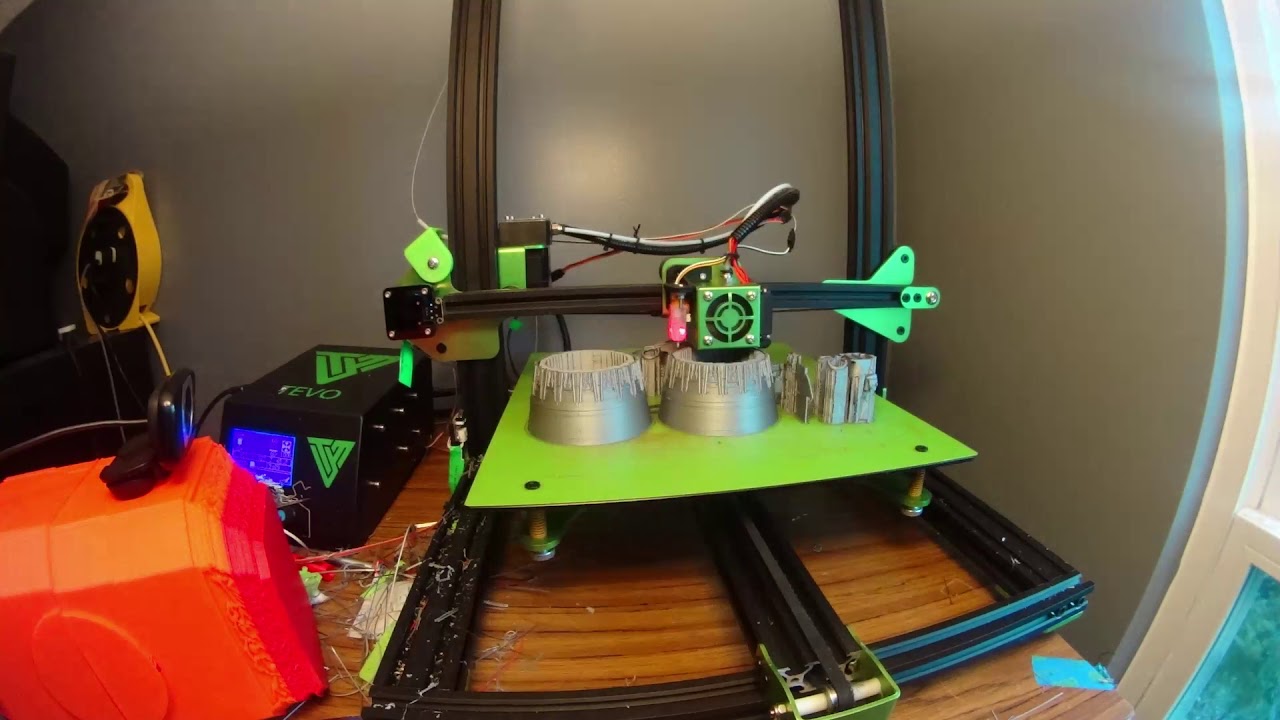
Comment
-
2nd print attempt with white filament, changing the object positions (flipped the nozzles, adjusted the panels). Greatly reduced the amount of supports just to see what happens. Hoping for "cleaner" parts. Reduced the print time by several hours.
Comment
-
Here's my best shot at some cockpit panels. I'm coming to the conclusion it's going to be very difficult to recreate the quality you see in Motions pre-printed parts on any level of hobbyist 3D printer. I think I'll be able to get "good enough" level, but at the price of $20 or so the factory prints will be a bargain and will likely be the highest quality prints available. For those of you thinking of buying a printer, keep this in mind.
Comment
-
Based upon my current printing attempts, I agree 100%
bbaumer, what speed and other basic settings are you using, if you don't mind sharing?
I'm using Simplify 3D printing at .2mm layer height, 2 perimeters, 100% infill (not that it needs that much, 30-50% would probably work well), 210/60C temps, at 50mm/s.
Comment
-
Well, interestingly enough, my printer is a "plug and play" one. The software is called AutoMaker, and it is proprietary to the printer.
I've got 3 basic levels of detail to select from with standard printing, or I can select a spiral mode. I've never dug into the custom settings much. Looking into it, the fine settings are
.10mm layer height 40% fill, 3 perimeters, speeds are .8mm/s on first layer, 25mm/s pretty typical elsewhere, i'm using a .3mm nozzle and printing with PLA
It also calculates all its own supports, you can see those in my earlier picture as the lattice work underneath parts
Temperatures are read from an EEProm on the spool, including bed and head temps
Comment
-
So are you guys using PLA for the cockpit parts as well? Just curious.Comment
-
I do use PLA on anything non structural. I find it easier to finish, particularly since it can be smoothed with acetone. Please excuse the focus andrough paint job on Col. Olds head here but notice how smooth I was able to get the helmetComment




Comment