-
Hi All, Just finishing mine up, hope to maiden it soon. I will be using 5000 mah packs. Wondering if the plane balances okay with each pack on the trays ? I thought I had read (somewhere) that some people were relocating the Circuit Module to get it to balance ???
Thanks. BobLeave a comment:
-
Leave a comment:
-
Hey mshagg, you have given an incentive to take my backup A10 out of mothballs and set it up with the 90mm fans you have mentioned. It will be right beside my stock 80mm version and using RT6250's, the flight times are expected to be even more generous. Nice combination you have given, now if i can find two of those AF fans/motor units or the old standard FW fans before they went to the HP versions.
Update.....looks like I’m in business as I have a set of fans coming and DD is bringing me a set of the modded 90mm nozzles to the Jet Jam this week.
Leave a comment:
-
Thank you everyone I did find it on Amazon. hoping to see the 3D-printed plastic pod that mounts on a FW weapons pylon on Thingiverse.Leave a comment:
-
-
-
-
I apologize if this question has already been asked. Does anyone know the weight difference between the stock 80mm fans, 100amp ESC's & 80mm nacelles versus the 90mm 12-blade fans, 130amp ESC's and 90mm drop-in nacelles?Leave a comment:
-
-
-
Hugh, you’re FAMOUS! And you didn’t even have to become an internet sensation to do it.
Leave a comment:
-
Got my A-10 Arctic Thunder in this months focus section of Model Aviation. Always thought the mag was kinda useless, but now having 2nd thoughts after my F-18 Canadian was featured last month and the A-10 this month. WOW, what a Spectacular Magazine!
Leave a comment:
-
I'll be honest - I had these af units lying around. OK. Maybe they weren't lying around, maybe they were installed in planes and I've been playing musical chairs with EDF setups. Point being, I had two of them. But, I knew they were spec'd to run a 100A ESC, which meant I could use the stock ESCs in the A-10 (which are probably over spec'd to be honest - many thanks freewing). This is a big deal because they already have the capacitor packs installed to deal with the long battery leads (again - many thanks freewing!).
I havent used the motor you listed but on paper it would make more power at the cost of higher current draw. It is spec'd for a 130A ESC. I think freewing themselves have pivoted to a 1900kv 9bl for their high performance 90mm setup? I imagine the newer powerplant is more efficient given the motor size and blade count - if I was choosing something off of freewing's menu that's probably where I'd land. Lower blade count might not have the whoosh factor but then you'd get some of that back from the high kV (1900kv is approaching 80mm territory!).
It depends what youre looking for I guess. The stock A-10 80mm EDFs are already overkill, I swear the thing would fly on 4S, it defies logic how a 6kg+ plane scoots around with such little power. For me, I'm pretty much flying circuits and presenting with a plane this gorgeous, so I prioritise flight times above all else. But also... a twin 90mm is just inherently sick. What other manufacturer would be mad enough to offer a drop in option like that? The sound, performance and flight times have surprised me - to be frank these af setups are cheap and nasty compared to a freewing or FMS unit. Guess we'll see how they hold up over the long term.
You can find the specs for freewing EDFs in other corners of the internet but, for the reasons Tom mentioned, take them with a grain of salt. As an example, the setup in my FW Sukhoi can vary by 300g and 30A just by changing timing settings on the ESCs. Different planes will respond differently to the same motor as well due to ducting differences - stuff which very smart people like Alpha understands, and I do not.Leave a comment:
-
You had to open that can of worms? 😉 We quoted current draw and thrust for a short time many years ago and it unfortunately it backfired in our faces. You did not mention thrust but that was part of what we listed too. When we listed those figures, we found a number of customers would call and complain because they could not reproduce the stated figures. We'd send them a shipping label to get their unit back for testing only to find our tests matched the figures on our website. We'd send it back only to have the customer complain again. As we tested more, we found the difference comes down to many factors not the least of which was the brand of battery, the true C rating of the battery, the age of the battery, the number of cycles on the battery, the temperature, the humidity, the test equipment, and even the altitude of the area where you live. There were so many variations in the figures due to factors outside of our control, we decided to remove the figures from our website. That was many years ago. I've often thought about publishing some sort of rating system to compare one setup to another (without showing our figures) but I never completely worked out that idea. Outside of simply stating figures, we've found different setups work better (or worse) in certain planes depending on the ducting size and shape of the particular plane. When we are testing different setups for a new plane, we always try to balance efficiency with thrust and sound and I'd want a rating system to somehow take those factors into account. Maybe I'm overcomplicating it but ultimately I hated to have anyone disappointed and it can be difficult to attempt to explain all the factors that cause the variations in amp draw between my setup and another setup using the same motor and fan. Lately, we've found a massive variation between all the different brands of batteries on the market. There are some new, "grade C" cells hitting the market and there are new and improved grade A cells out there along with everything in between. I've never seen this much variation in battery performance as we have today from one brand to another so I think the variation in amp/wattage figures would be even greater than it was last time we published the figures. We also have a lot more options for various setups than we did years ago and we're talking about working on more options just to confuse everyone 😁Leave a comment:
-
Thanks for the review, your plane sounds amazing!! Of course Motion offers a nice 12-blade 90mm EDF which will fit in the 90mm nacelles without any modification.
This is the 4068-1835 motor. Could you please comment, in terms of current draw how does that choice compare to the "low-amp AF model 90mm fans" that you used?
Did you use the AF model because it draws significantly less amps than the 4068-1835?
(Note to MRC, why is the current draw missing from the product page? Why leave that off?)Leave a comment:
-
-
Thought I'd share some experiences fitting the 90mm nacelles. Had my eye on the stock 80mm outrunners as a mild upgrade for the F-14 and was going to then swap in the 80A power systems from the F-14 given the A-10 flies so well on low power. But then I came to my senses.
Sourced a pair of low-amp AF model 90mm fans (used and well regarded in the Avios Mig 17). This is a 1550kv 12bl EDF. With peak draw around 100A I was able to retain the stock ESCs, which is handy given they are already configured for the long battery leads (cap packs installed) and obviously drop straight into the ESC pockets in the nacelles. Required some carving, the fit is closer to an FMS housing than a freewing one.
Having become accustomed to the revised thrust line using Dirty Dee's 3DP exhaust nozzles, I was keen to replicate this for the 90mm nacelles and succesfully scaled them up.
The end result is a decent bump in peak performance (~3.7kg thrust a side) but surprisingly a more efficient setup which will cruise at 25% throttle and deliver flight times comparable, if not better, than the stock 80mm setup. And the sound is stunning. Im not much of a content creator but here's some flyby clips.
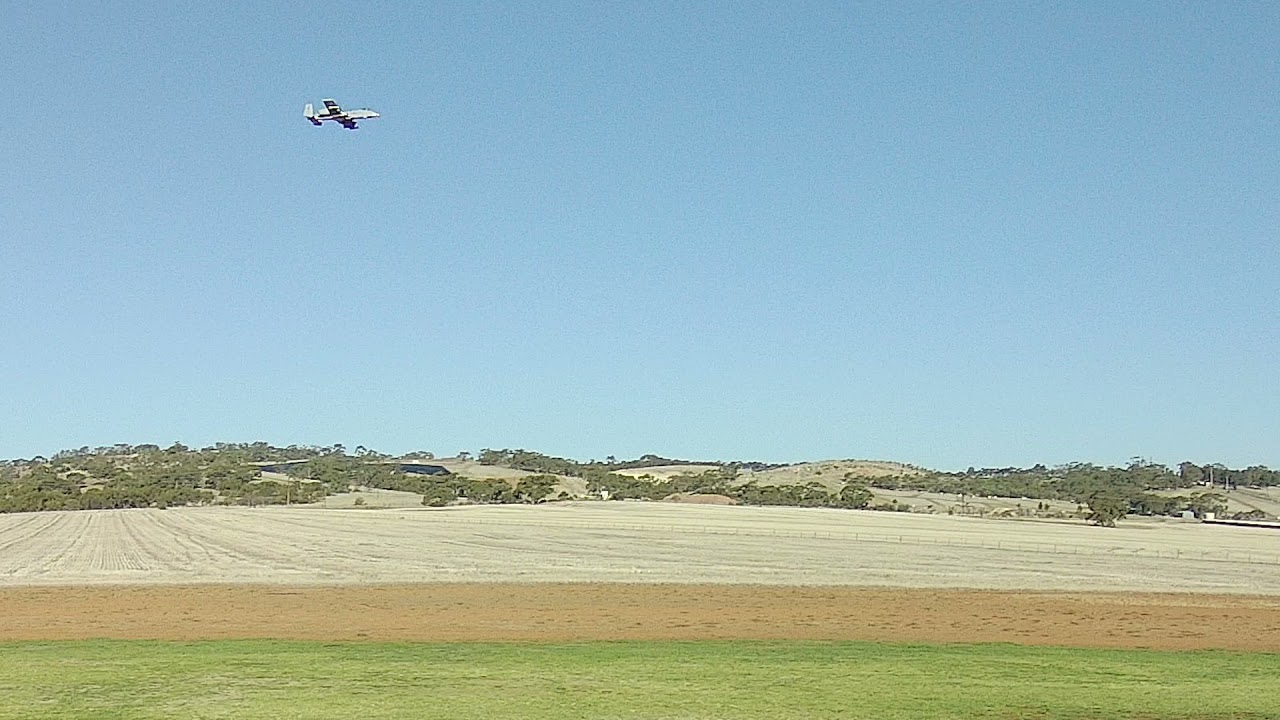
So, absolutely recommend low current draw 90mm for this plane.
A few picts of the install, nozzles and finished product.
Leave a comment:
-
In the news today....
People landing planes with no gear and no canopy....sounds like a typical weekend down at the RC field.
Leave a comment:
-
How do you get that beast to the field, in the back of a semi? You could just about fit inside the cockpit! Love to see a video of that creature in the air. I'll bet half of our neighborhood would run and hide if you flew it over my house. Bring it on so I can assess who I need to keep an eye on around here!Leave a comment:




Leave a comment: