-
Spitfire has enuf flights now,,, it has a few oil leeks... luving the scale model stuff... none have operational cowl flaps... like elbbeees corsair.. -
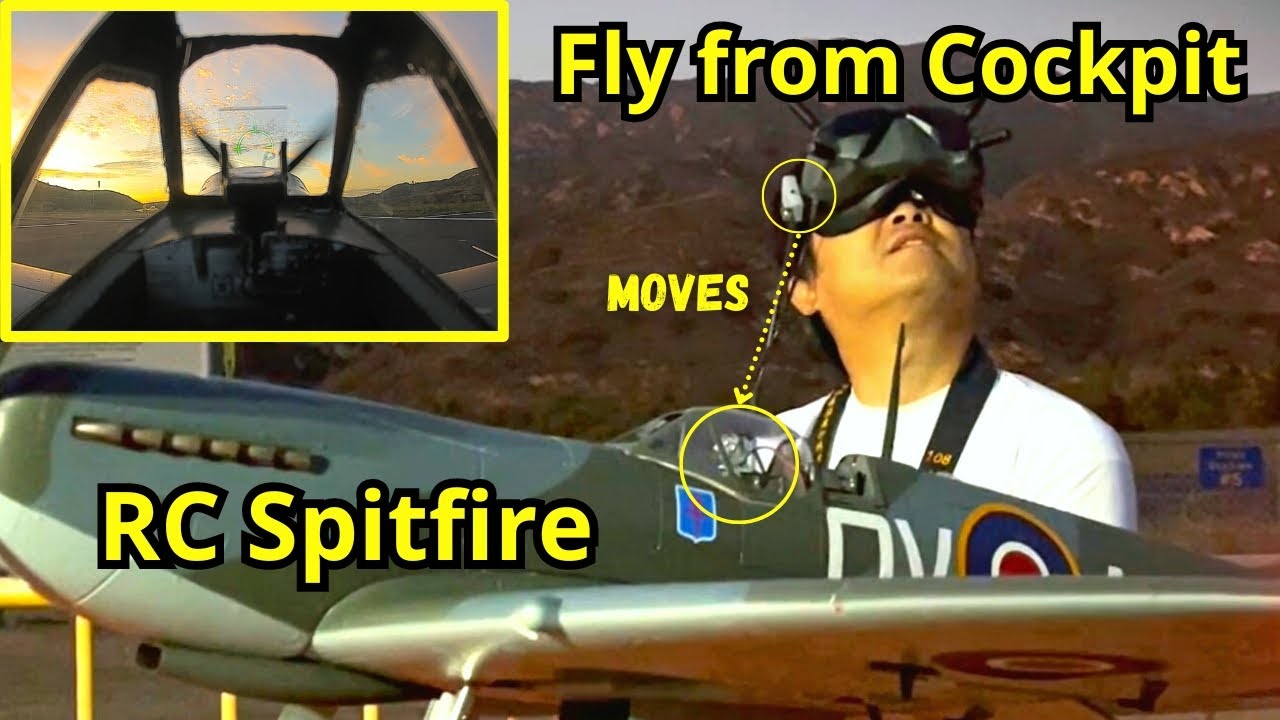
f4u ausie I understand not many people are into FPV, for various reasons: complexity, cost, planes look more interesting from outside etc. FPV is but one rabbit hole among many one can explore in RC hobby. I do want to share why I chose to dive in...
1. Double the utility for each plane - so I can fly both LOS and FPV. I don't have much storage space for many planes so adding the in-cockpit experience renews interest in a plane I am already familiar with flying LOS.
2. Experience the challenges pilots face flying the real deal on scale planes - for example, we read about the long cowling in front of Corsair cockpit blocking view to the carrier on straight-in approach. So fleet air arm pilots developed curved approach to land on carriers. Putting FPV camera at scale pilot eye position would allow one to experience the same challenges where a LOS RC flyer cannot.
3. Formation and dogfights - It's very exciting to see planes fly fairly close together as LOS flyers, but given the third person perspective, it's actually difficult to maintain safe separation at certain angles. With FPV flying especially with head-tracking, wingmen can maintain safe separation following formation training methods practiced by full scale pilots. And when they get good at formation flying, it's also safe and fun to practice dogfights. BTW dogfights in LOS is very different than FPV. LOS pilots can always see if a bandit is behind his plane. Not so in FPV, when one is looking around and searching for bandit and trying to evade him in the cockpit. The adrenalin rush and panic feel very real...
4. FPV is cheap compared to full scale flying - I am a rated private pilot. I used to rent Cessna 152's for training for $35/hr back in the 1990's. Now the rates at airports close to me are $250/hr. That's out of reach for me. Flying FPV replicates 80% of the enjoyment of flying full scale at a tiny fraction of the cost. And I can still apply most of what I learned flying full scale to fly RC planes.
Yes, I am an almost old bloke, too
Leave a comment:
-
Turbine ive seen only few fpv pilots. And i always simply saw an aircraft flying with a pilot looking straibht ahead,,, looked confusing... i did not get it... until one day i had watched a bit and he said do u wana try just taxiing around.. like a rat up a dranepipe,, i said yep... needless to say,, now i get it... rifelman with his f14 also does great job ..as have u great job and a new perspective... looks complicated and more money for an almost old(lol) bloke like me...
Leave a comment:
-
Howdy gents,
I really enjoy flying my FL Spitfire. It flies like it’s on rails. Landing on paved surface without bouncing is a little tricky, but so rewarding when I get one just right. Sharing an aerobatics practice flight from the cockpit. Enjoy!Leave a comment:
-
Thanks for replying SanExup .I think I have resolved the issue ,mainly by trial and error, hopefully the esc is calibrated properly , at least the motor spins up and down .
Looking forward to flying this bird in the Spring.
Regards,
DavidH.Leave a comment:
-
Apologies beforehand if you've done all this, but I say, plug all the servos back in. Make sure your bound and everything works. Go ahead and run through the forward programming, get the model setup the way you want it. Maybe leave the prop off. If you used a bind plug make sure thst is out. And make sure your throttle cut is off.
I will sometimes unplug and replug the battery to check the startup and bind one time before doing a esc calibration.
At this point, do the calibration process. Unplug, TX to full throttle, plug in thr plane, watch for the control surfaces to run through their initiation, once stopped throttle to zero. I think the beeps might be confusing the issue for you.Leave a comment:
-
Sorry about the rx tx confusion senior moment. use preview next time! DH.Leave a comment:
-
Hi guys. hitherto I have always bought bind and flies .But I have just pulled the trigger and bought this warbird. Build went ok and I have used the blue box to wire up .My problem has arisen
in failure to calibrate the throttle on the rx to the esc. Despite pushing the gimbal to full throttle the esc plays its tune but it emits just a constant single beep .Not the dual beep I was hoping to hear
so I could calibrate the low throttle setting. My rx is a fully updated NX6. Tx is spektrum ar637t. At present only the throttle lead from the esc is plugged into the rx. Any help would be very welcome.
Best regards, David H.Leave a comment:
-
CG at 95..100mm. I have been trying to make it fly with a much more forward CG, but that results in all sorts of unwanted behavior. Good thing it is built so tough! 😁
Instead of the inverted 45° angle, I use the opposite approach.
Trim for level flight first.
Dive at 45° without changing throttle settings from level flight.
If she pulls up, your CG is too far forward.
If she dives even more, your cg is too far backward.
If she maintains the 45° dive angle, your cg is neutral.
Good explanation can be found at https://gympiemodelflyers.wordpress....the-dive-test/
I tend to aim for "slightly nose heavy", so minimal pull out from the dive.
Nose over tendencies are aggravated by having flaps deployed, especially when combined with wet long uneven grass field and use of low rates.Leave a comment:
-
Been steeling her makeup again,,, object this time to accent panel lines etc also accents papas dotsLeave a comment:
-
John, Welcome to Hobby Squawk, Sir.
I believe you'll need to do some repainting.
Color matching can be done by taking pieces of the airframe to Home Depot to have those scanned.
Buy the color sample size of exterior latex.
Brushing these on works best, though you can airbrush if you get the mixture just right.
I brush paint in small areas, then mist water on the latex avoiding any runs and walk away for an hour, then repeat.
I use a high quality 2 inch wide artist brush, but I have used foam brushes with okay results.
Acrylic paints work quite well, especially for airbrushing.
Getting a color match with the OEM paint colors can be difficult unless you will be repainting the entire airframe.
Light sanding is a must over the existing decals, then primer.
Best, LBLeave a comment:
-
Intrested in the cg u reguler spit pilots r flying.. mine flys rock solid,, not always, only occasionaly it noses over,, on landing... could it b a bit nose heavy?? Not sure how to do the inverted 45 up angle ,, thingy iv seen (check cg) my f4u never does this....... but was not sure i if landing gear positioning has any bearing
Leave a comment:
-
I just received the 1600mm Spitfire and it looks great! However, apparently they no longer include extra sets of decals and there are decals already applied. I got a set with the markings I wanted (for a friend's Spit that he flew for No.133 squadron) but they won't look correct over the existing decals.
How do I remove the existing markings?
Thanks!
- JohnLeave a comment:
-






Leave a comment: