-
Thanx viper,,, luv ya new pic stil. Looks daunting ,,the fpv that is
Leave a comment:
-
I get so dizzy following that thing round and round, I'd fall down and crash.Leave a comment:
-
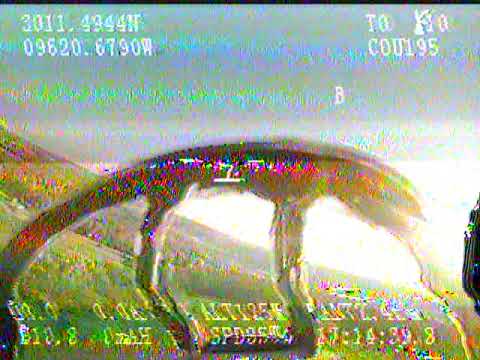
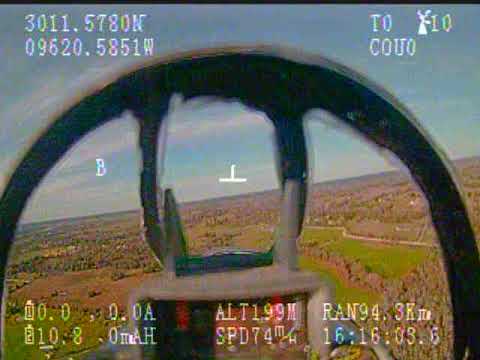
Yes the B is supposed to be the home takeoff point direction in relation to the aircraft.Leave a comment:
-
Follow the "B", relative to the upside down "T". Altitude, speed and distance is given on the screen. Some displays shows it in a different way, but usually shows where the plane is and where the pilot is in some pictographic way. I stopped doing it as I got sick to my stomach.Leave a comment:
-
Thats cool stuff,, once in the air, a dumy question,, how do you no which way is home(runway). Think i would get lost,, but would .uv to do it
Leave a comment:
-
Great brief, Sir. Also, Shown as 200+ alt in meters but with goggles it's a non-event. Outstanding. Best, LB -
Here was my test flight where I got a general landing speed with my setup.Leave a comment:
-
Well the problem you will face is with gps speed (ground speed) you won't get a good line of stall speed, for this model it appears to be between 34-30mph (ground) I think in regards to airspeed, the point of departure I would set is 40mph (airspeed), the factor being headwinds making ground speed just a reference point, as the best option to get a true stall speed would be get a airspeed sensor and set your stall warning at 37mph, depending on your all up flight weight. The addition of twin pan and tilt camera gimbals, the osd unit, and extra rx for the RIO station, definitely adds significant weight thus making my stall speed abit higher than if you have a pilot only fpv system, and it definitely feels faster landing than with my Line of sight (stock) canopyLeave a comment:
-
I was more looking at the speed when you touched down (32 mph). Have you done a stall test with your speed call outs? Any idea what that is? Your touch down looked really close to stall.
that one of two air speeds i plane to dial In. 1st is speed to sweep wing and I sweep. 2nd stall speed. I will program for stall warning call out and then when landing gear is down and speed < #, call out airspeed every 2 seconds.
with that I should be able to get stall warning right before touch down.
GravyLeave a comment:
-
I feel like the ground speed is fairly accurate, I have 2 systems working on the plane one that talks through the reciever and the one that runs though the fpv gear, they were both saying about 92mph was the top speed. That appears to be on the dive for the low runway pass. I had the wings swept for that. That's when I looked back after to make sure I got the wings back out again. Honestly flying it with this system felt like flying the f14 module in dcs with vr. Very relaxing and enjoyable.Leave a comment:
-
Nice, how accurate is the speedometer? I’m assist ground speed, correct?
GravyLeave a comment:
-
You're living the dream! rifleman_btx So badass! Gear down or not. It looks so fun!Leave a comment:
-
Forgot to turn my dvr on until I was already halfway through my flight. Swept the wings back and it wasn't even noticeable aaaaaand I thought I raised my gear, but I had the switch in the up position when I took off. So gear was down the entire time. :confounded:Leave a comment:
-
Got my 14 all wired up. Just need to do some final touch ups and blending. Now the fun part, and I really mean that…. Programming. That’s my groove.
GravyAttached FilesLeave a comment:
-
-
Got mine about a month ago but I'm going to assemble it within the next few days. Putting dual 5280 Bluefire afterburners in. Looks like with some doing I can fit 6000s. Looking at going HV Lipo for it. Only issue is the good ones are 2 bills a piece. Other battery recommendations? I'm not even opposed to upgrading the ESCs and making it 8s (though that seems like a ton of weight if I'm running 4x4s).Leave a comment:
-
[QUOTE=Evan D;n369606]I made tunnels from the wing sweep mech area through to the nose to clean up wires in the battery area... Top pics are my second F-14, lower is my first./QUOTE]
ED, great idea adding the channels for the wiring. Looks like a very clean install. Bravo Zulu, Sir. Best, LBLeave a comment:








Leave a comment: